Assignments Set-Up
This page details how to prepare for working on the assignments.
The Resources Archive
A starting point is provided for the assignments and solutions are also available as a reference. These are provided in a resources archive, for which the download links are below. Each assignment will start with the instructions to use the content from the archive. The resource archives contain the assignment files in their initial state and in updated state as you progress. In each assignment you will update the files from the starting state to a newer version.
|
The assignments can be downloaded in two different forms: a simple tree structure, with starting and completed states in separate subfolders or a If you’re not a developer or not familiar with using Download the resources with the links below. After downloading, extract them to a directory of your choosing. That’s all! Well actually… try to remember where you extracted the files to as well 😜
|
Prepare Postman
To use Postman to perform requests with gRPC, you need to import the API definition for the endpoint you’ll be posting messages to.
Download the .proto file for the Zeebe Gateway and save it to your computer.
This file contains the interface specification with the methods and messages and by Zeebe.
The current version of the file can be found at this location: https://raw.githubusercontent.com/camunda-cloud/zeebe/develop/gateway-protocol/src/main/proto/gateway.proto
Go into Postman and add the APIs section to the workspace sidebar if it’s not already there
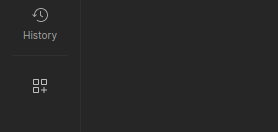
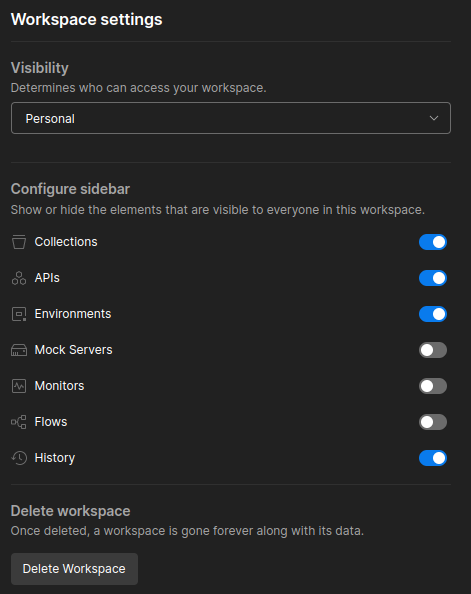
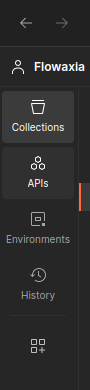
Now select the APIs section. At the top left, the ➕ button allows you to create a new API. Name it Zeebe Gateway.
In the sidebar, select the three dots that appear when hovering the API and select the option.
Select the downloaded gateway.proto file and Postman will import its contents into a new Definition subsection and list the gateway.proto in that section.
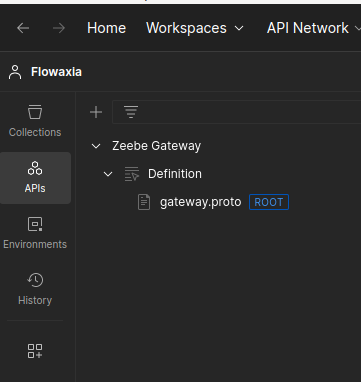
That’s it for the Postman preparations; we’ll use the definition later on. For now, just go back to the Collections section in the workspace sidebar and leave Postman open.
That’s all for the set up. Let’s go!